
Preview
 View full-size preview
This preview could not be loaded.
About Countdown Timer
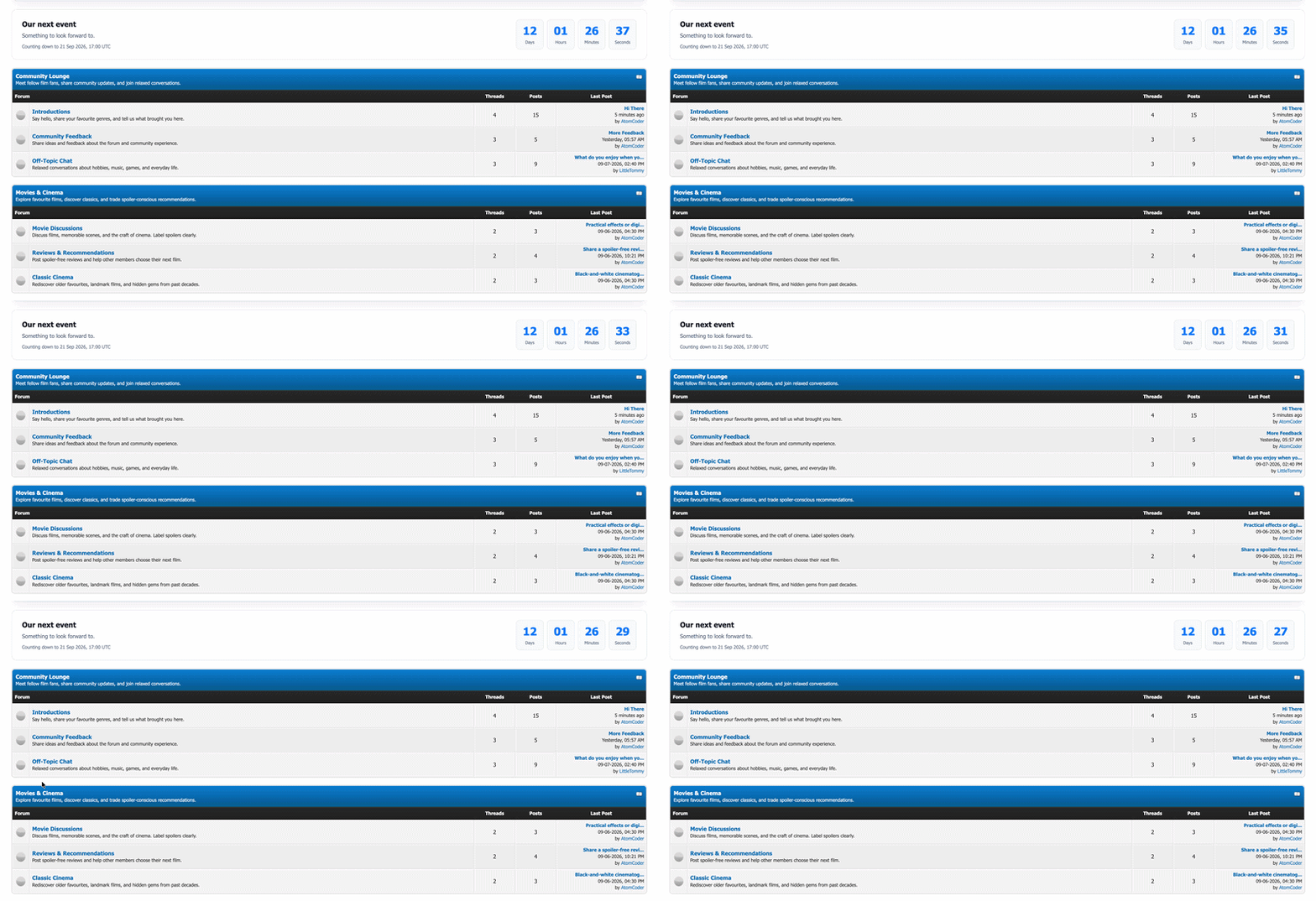
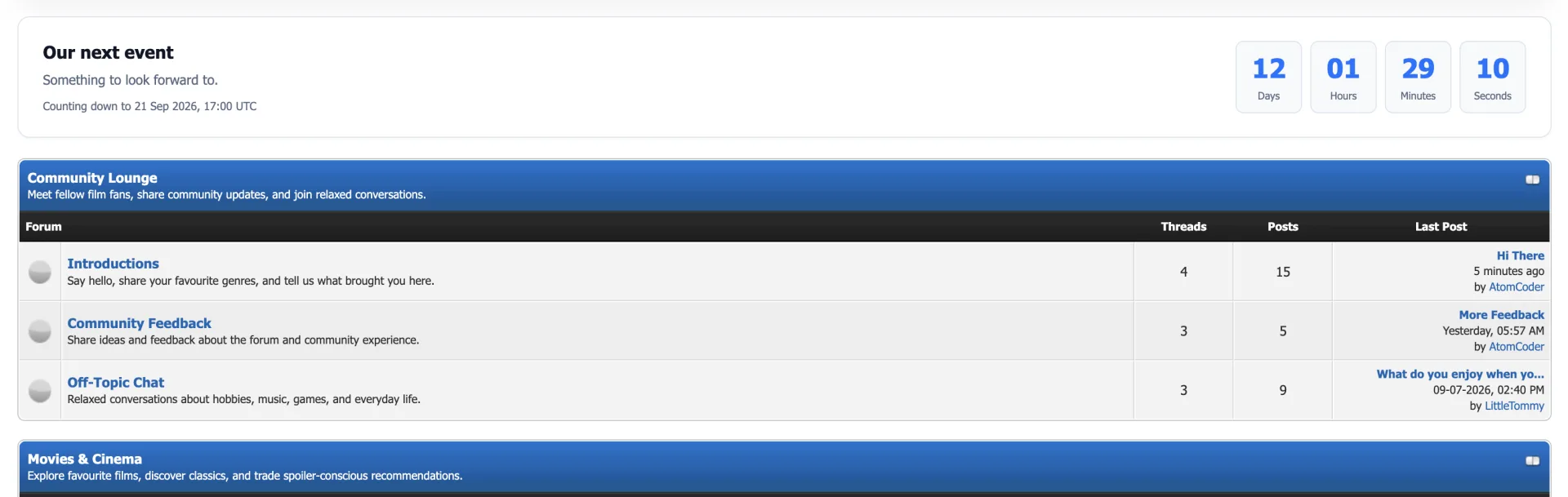
Give your community something to look forward to. Add a countdown for your next event, launch, or milestone, right above or below your forum header.
What’s included
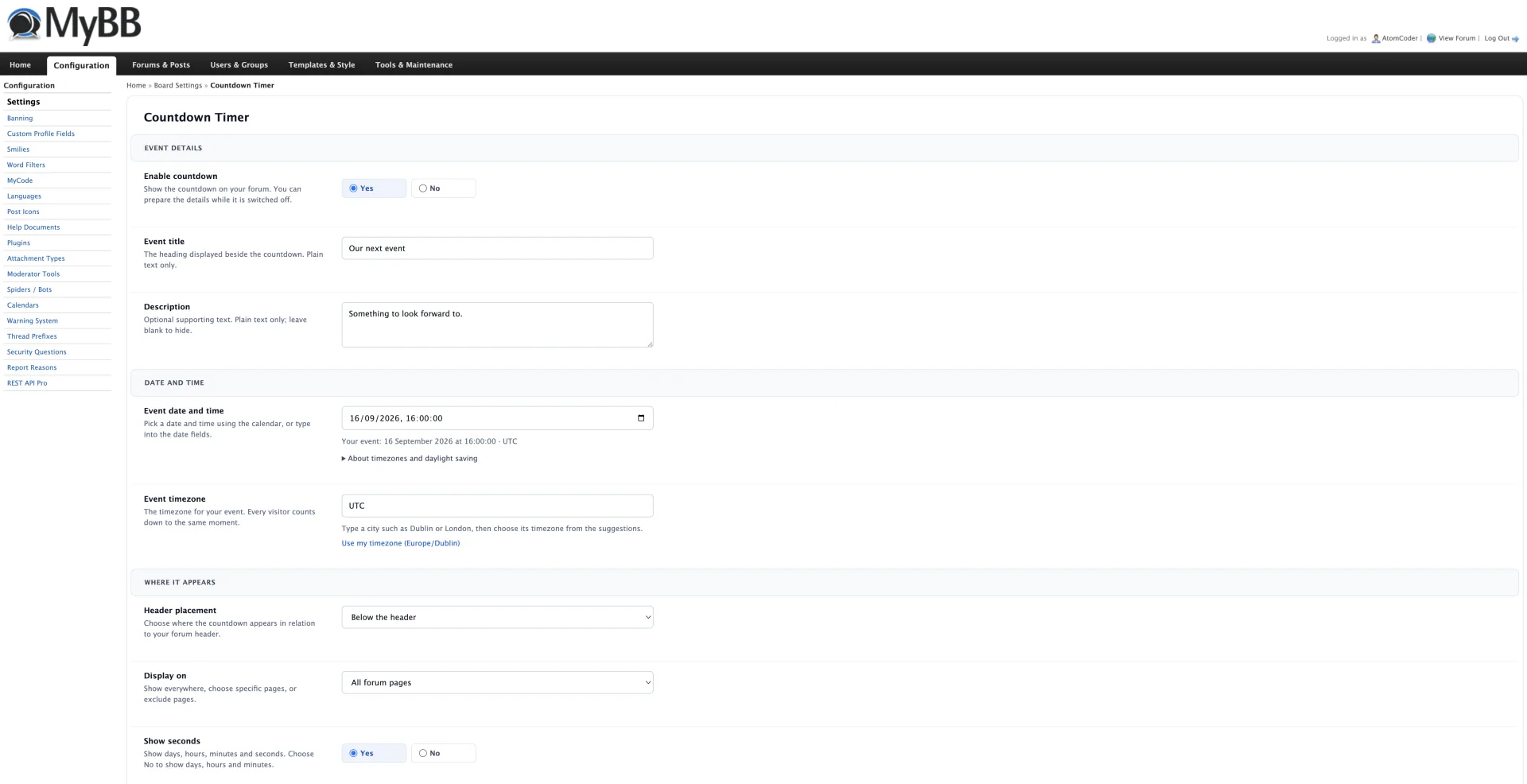
- Choose your event date and timezone
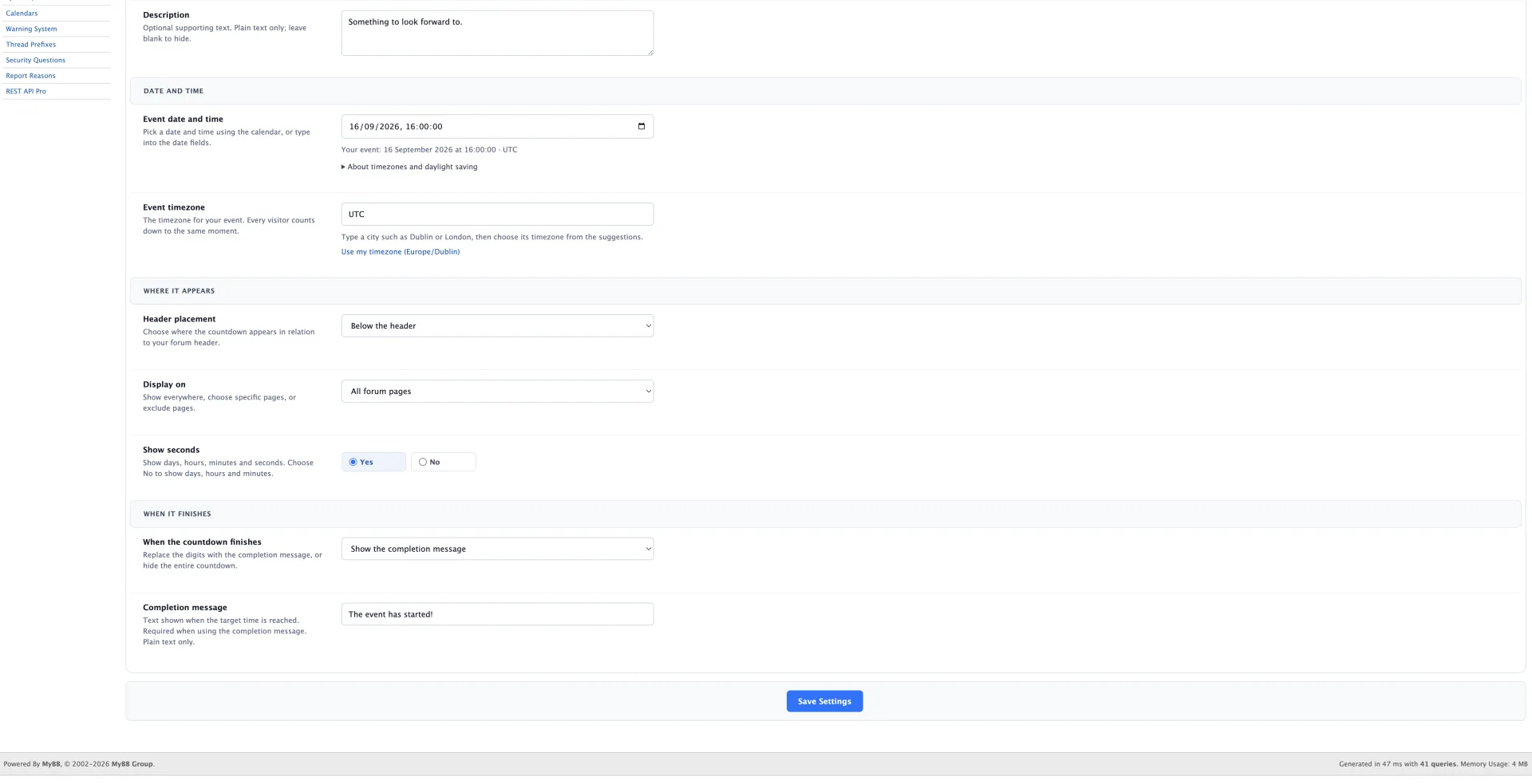
- Display on all pages or just the ones you choose
- Set a custom message when the countdown ends
Installation
- Extract the ZIP and upload the contents of the Upload folder to your MyBB forum root, keeping the folder structure.
- Open Admin CP → Configuration → Plugins. Find Countdown Timer and select Install & Activate.
- Open Configuration → Settings → Countdown Timer. Set the event date in YYYY-MM-DD HH:MM:SS format, choose your timezone, and enable the countdown.
Additional details
The countdown is disabled by default until you configure it. You can choose its position, hide seconds, and either hide the timer or display your own message when the event starts.