
Preview
 View full-size preview
This preview could not be loaded.
About MyBB REST API Pro
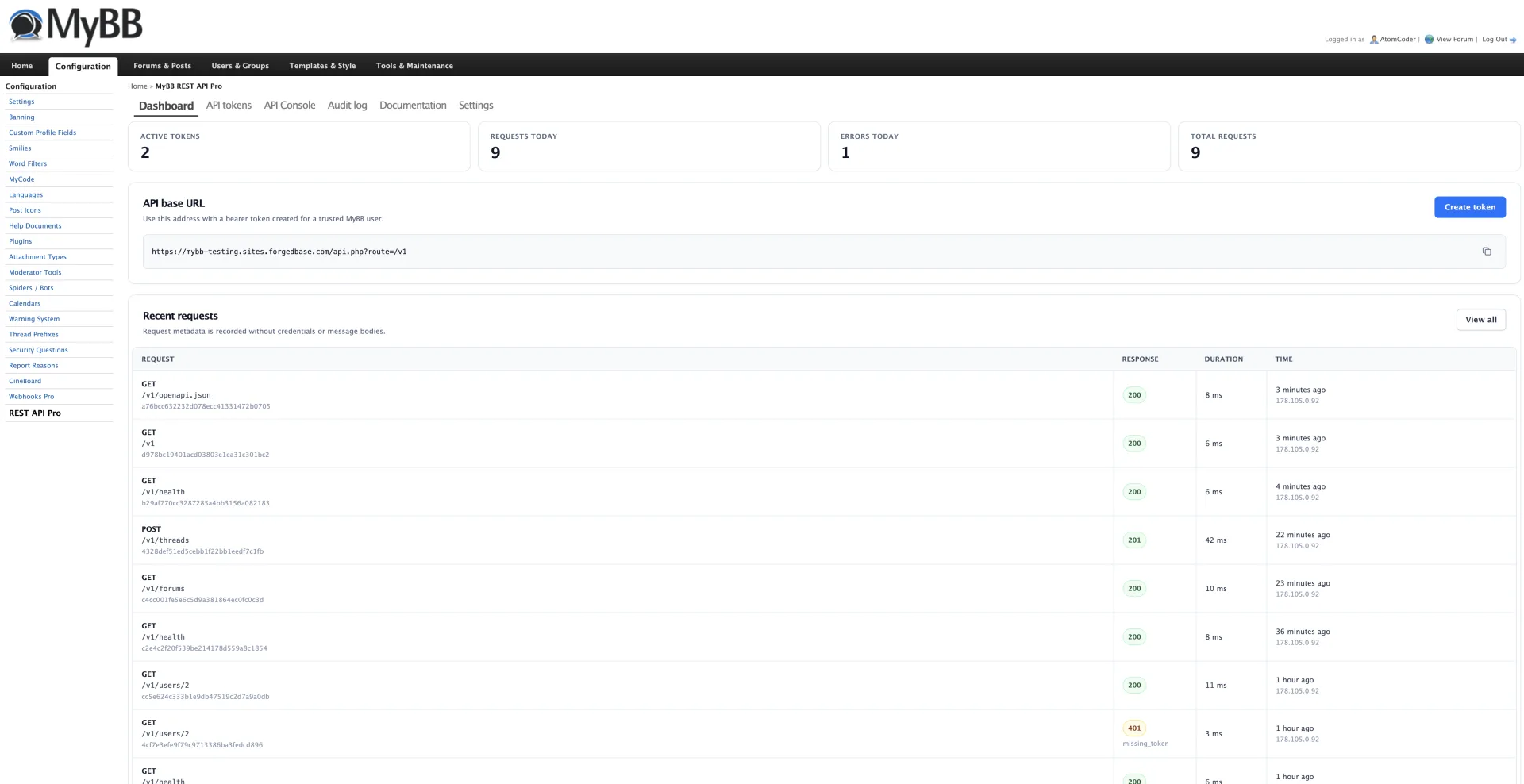
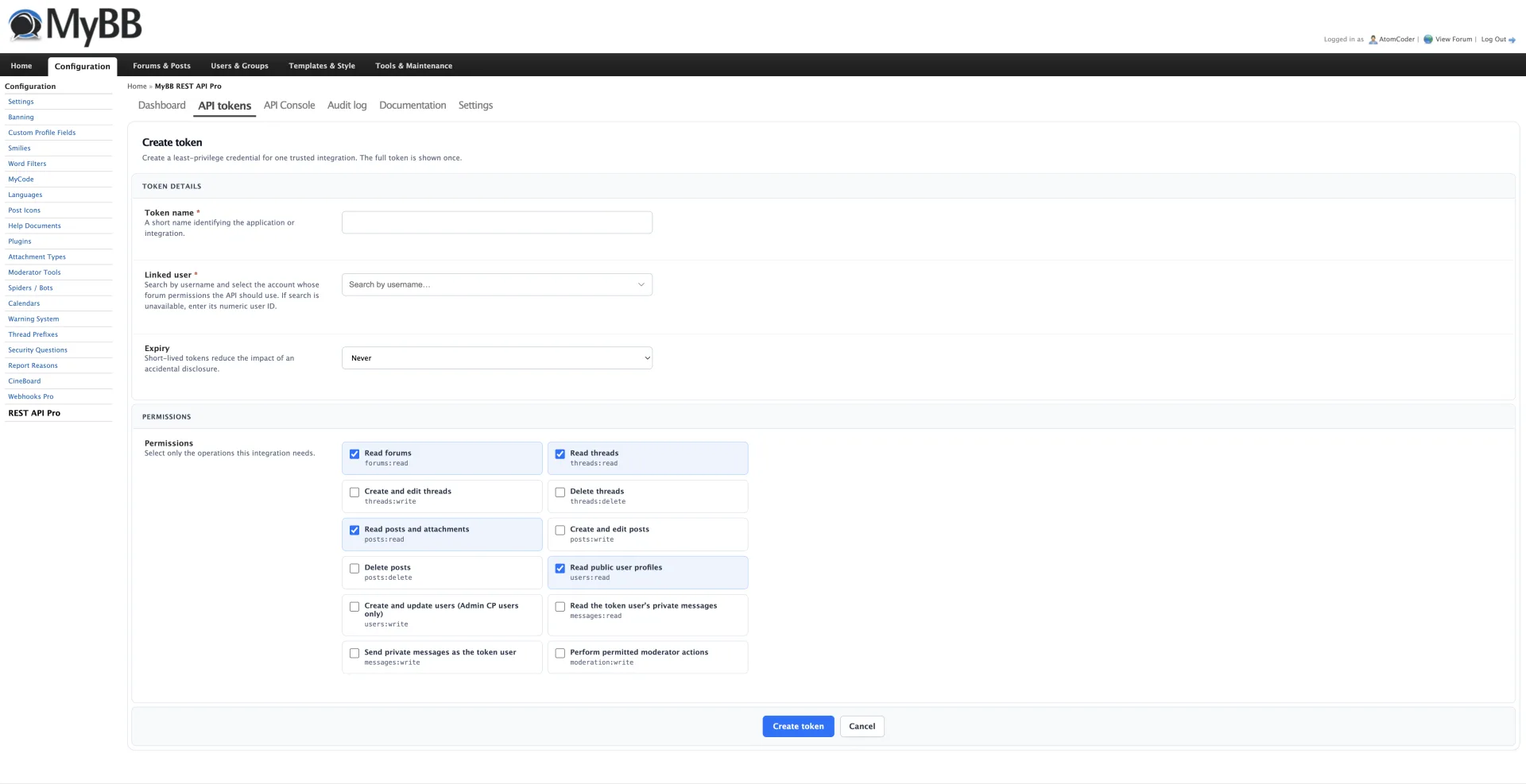
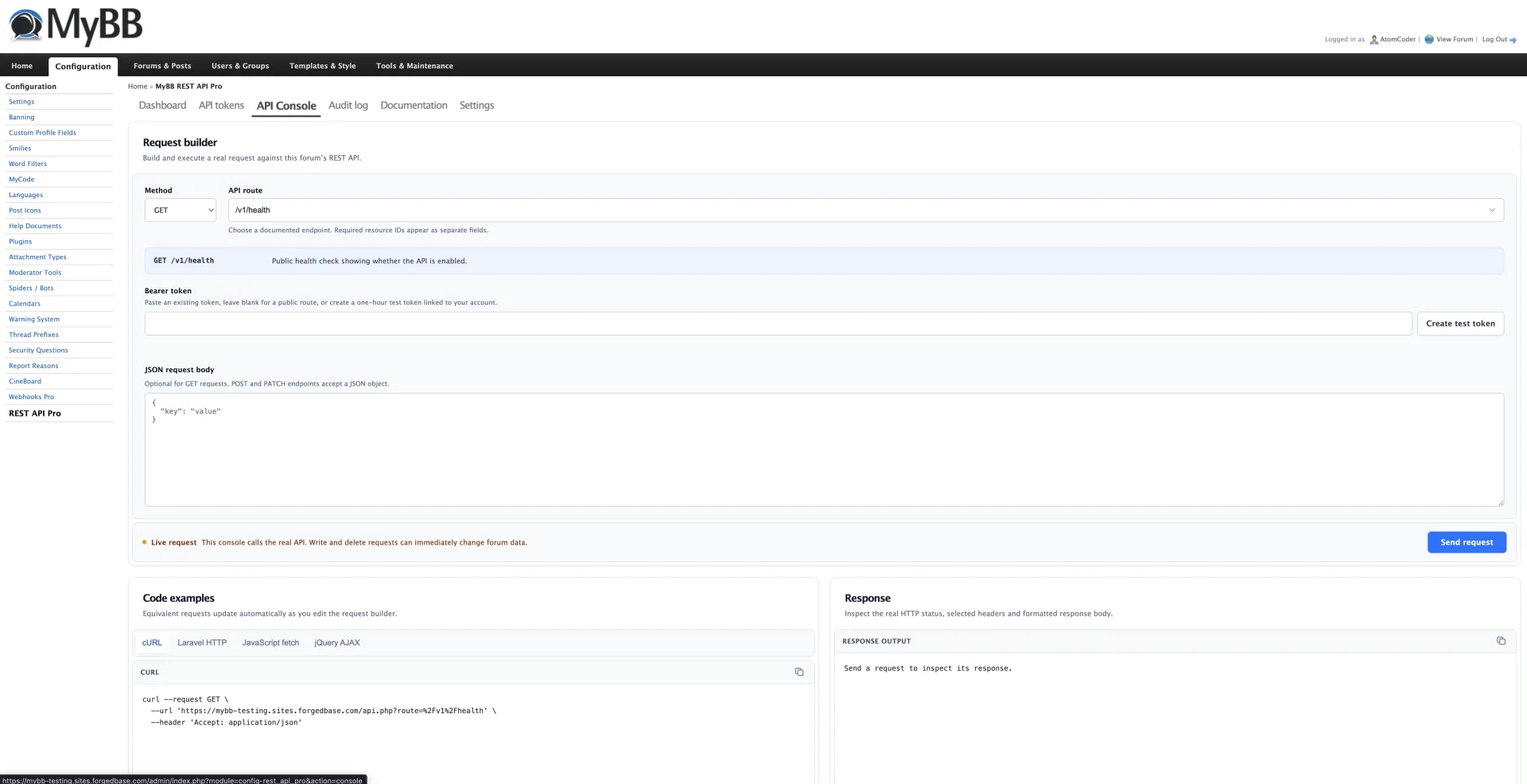
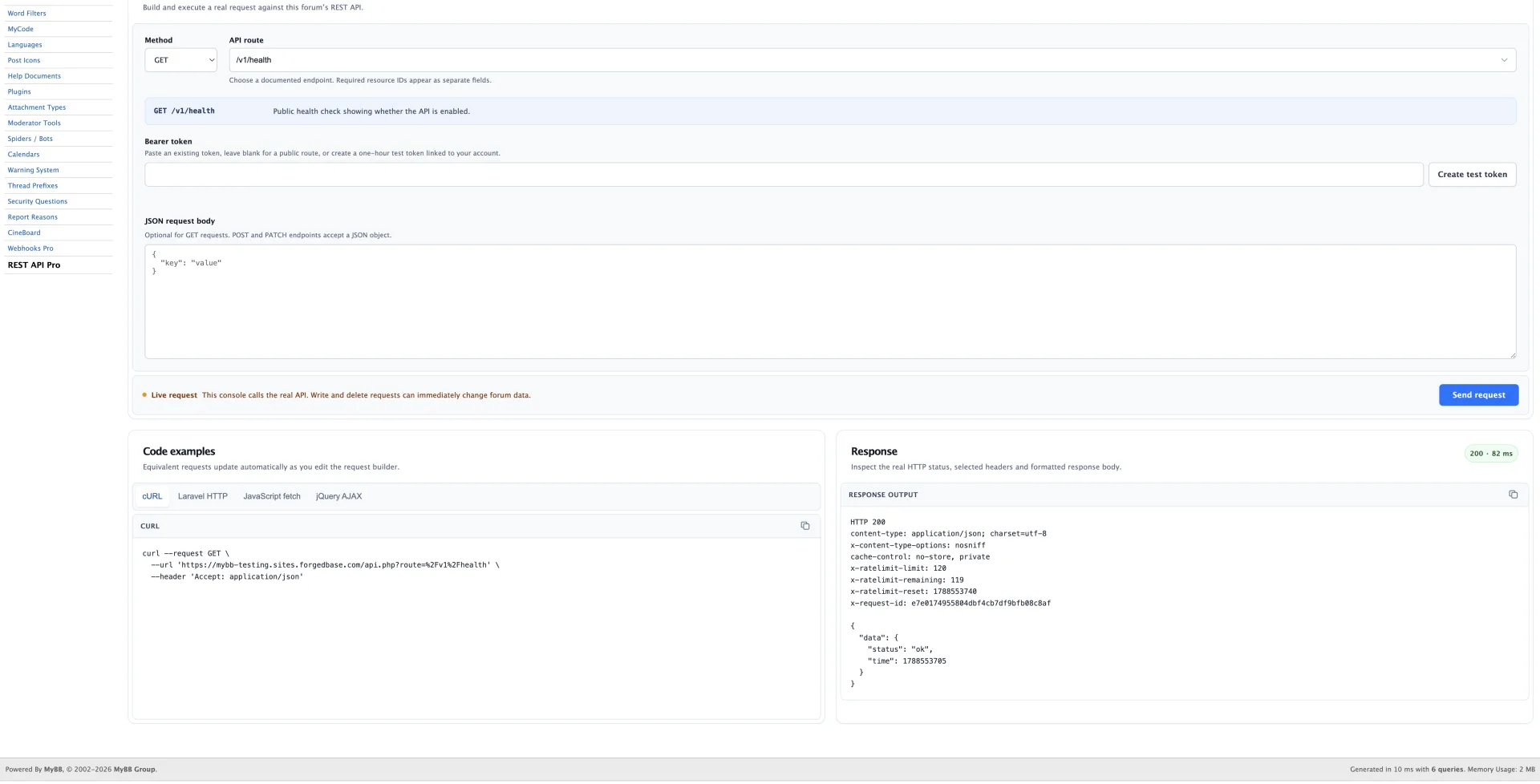
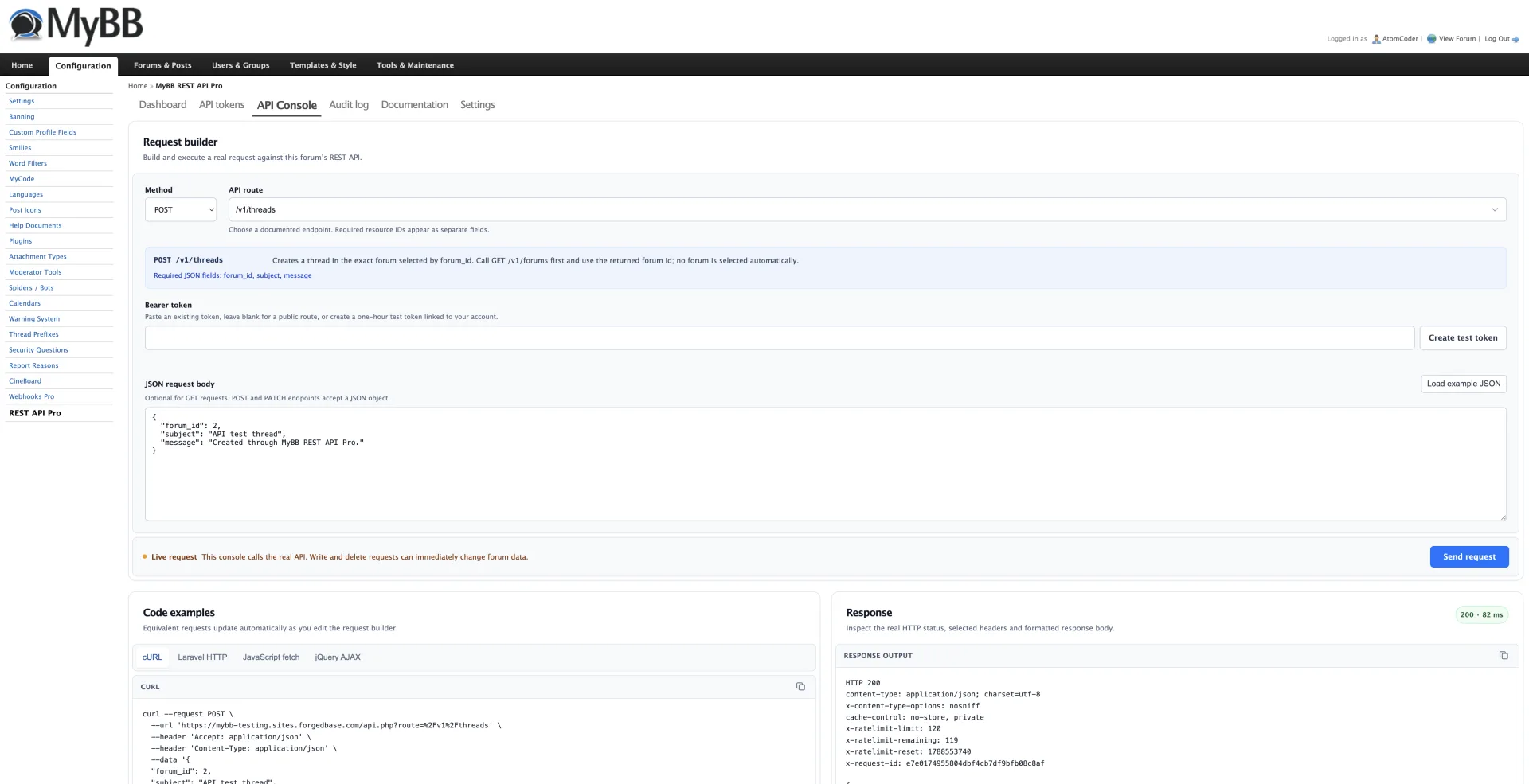
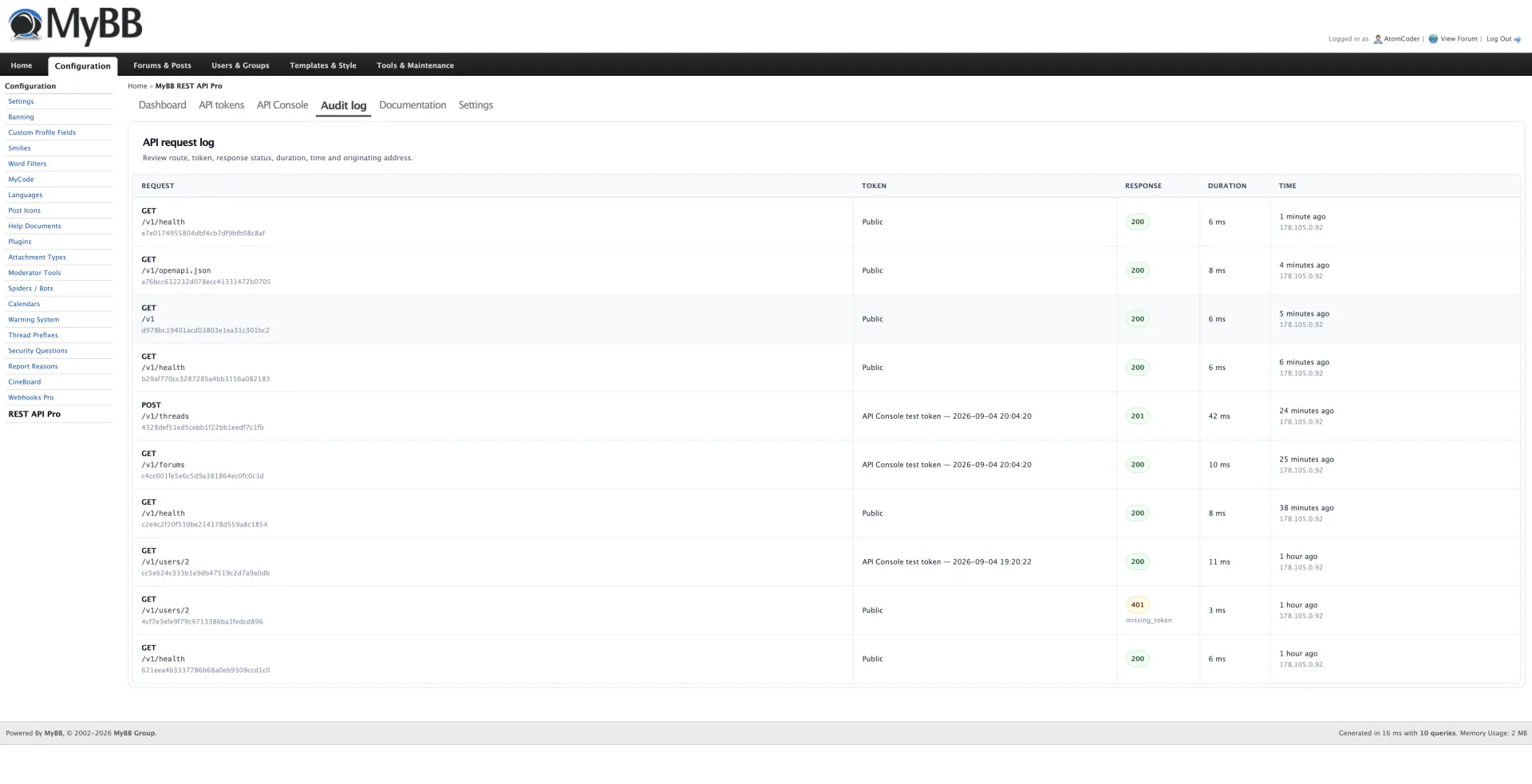
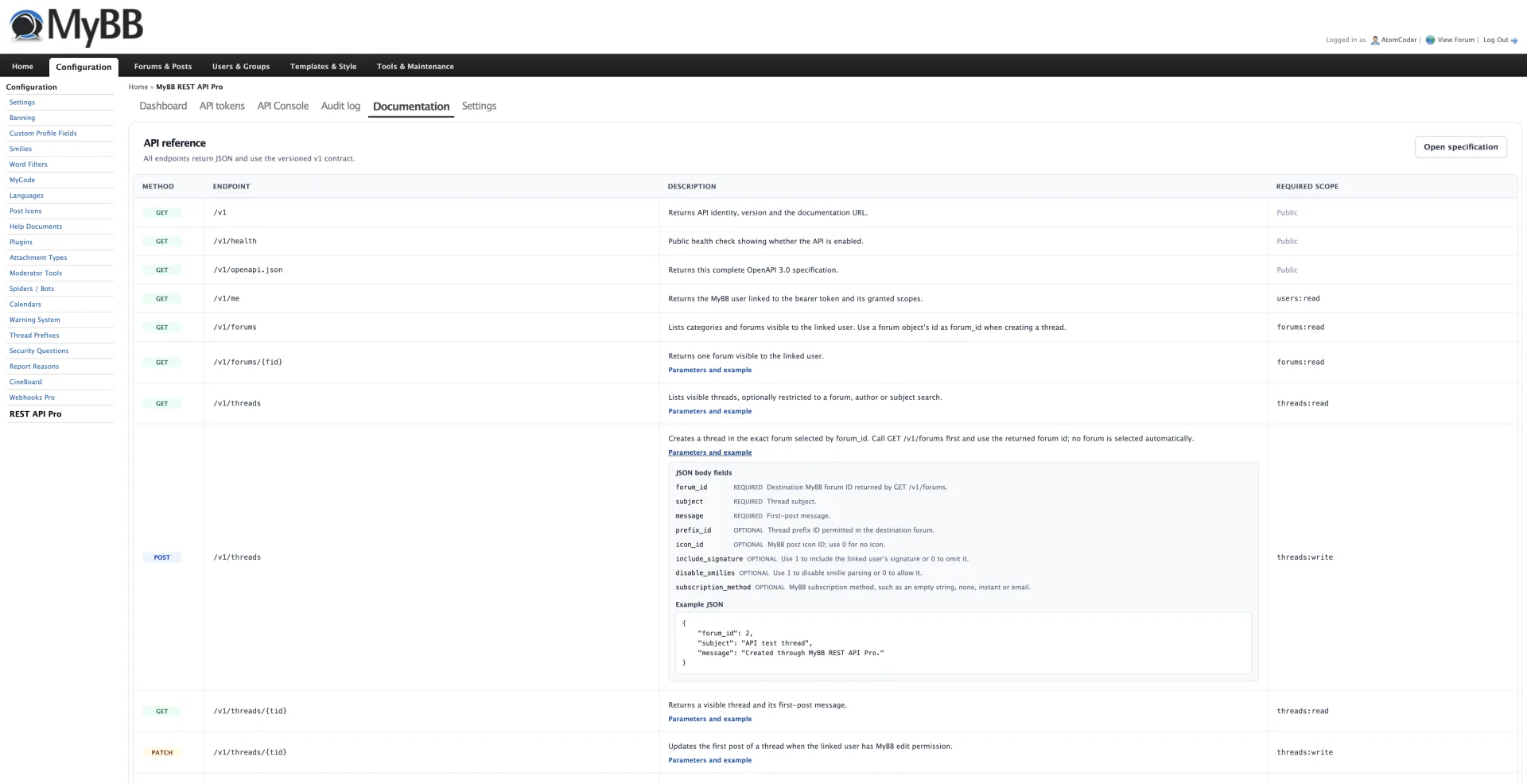
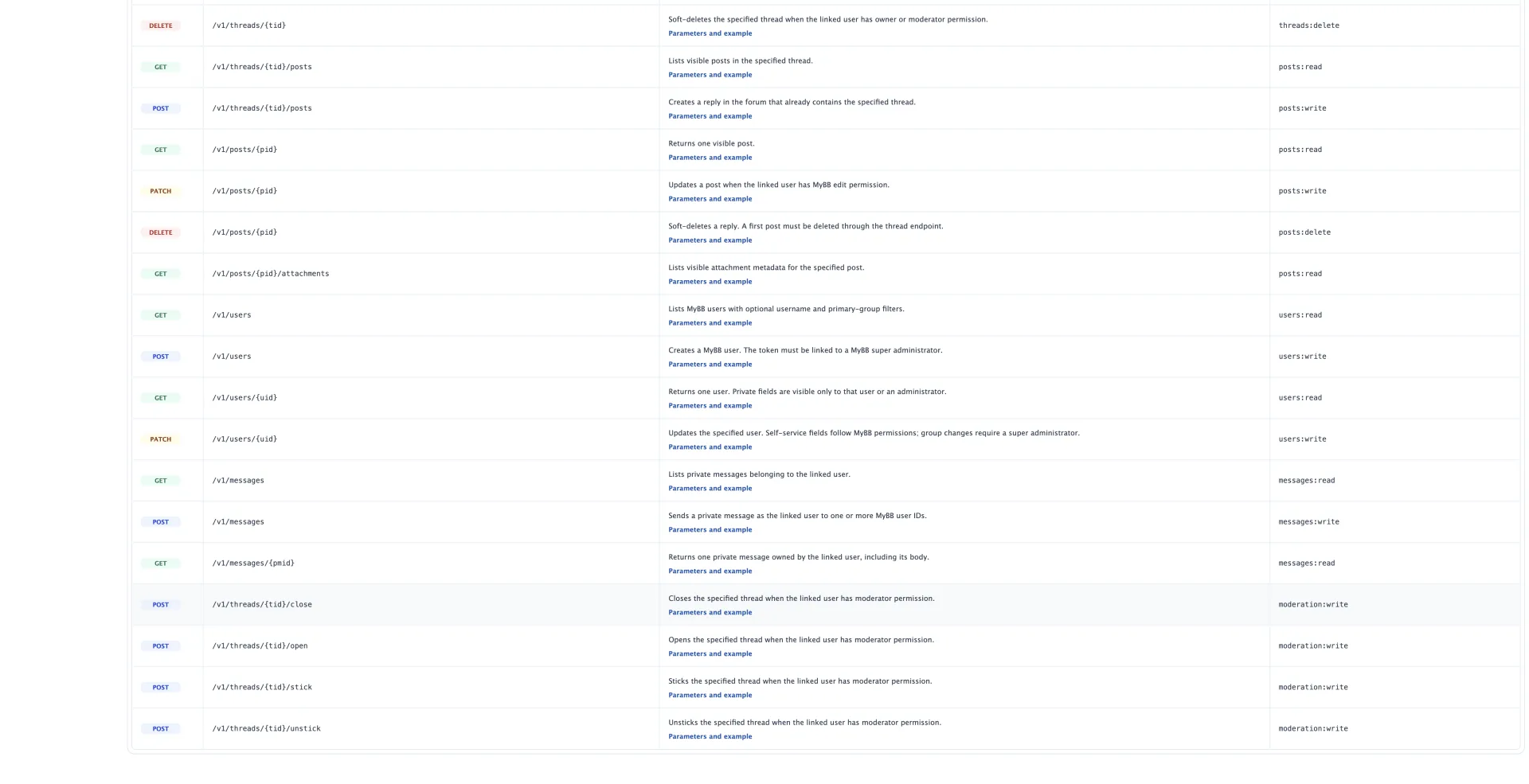
MyBB REST API Pro adds a secure, versioned JSON API to MyBB 1.8.x. Create scoped bearer tokens linked to forum users, expose permission-aware forums, threads, posts, users and private messages, and test live requests from a built-in API Console with generated cURL, Laravel HTTP, JavaScript fetch and jQuery AJAX examples. OpenAPI 3.0 documentation, rate limiting, CORS controls and privacy-safe audit logs make it ready for trusted integrations.
What’s included
- 28 versioned JSON API endpoints
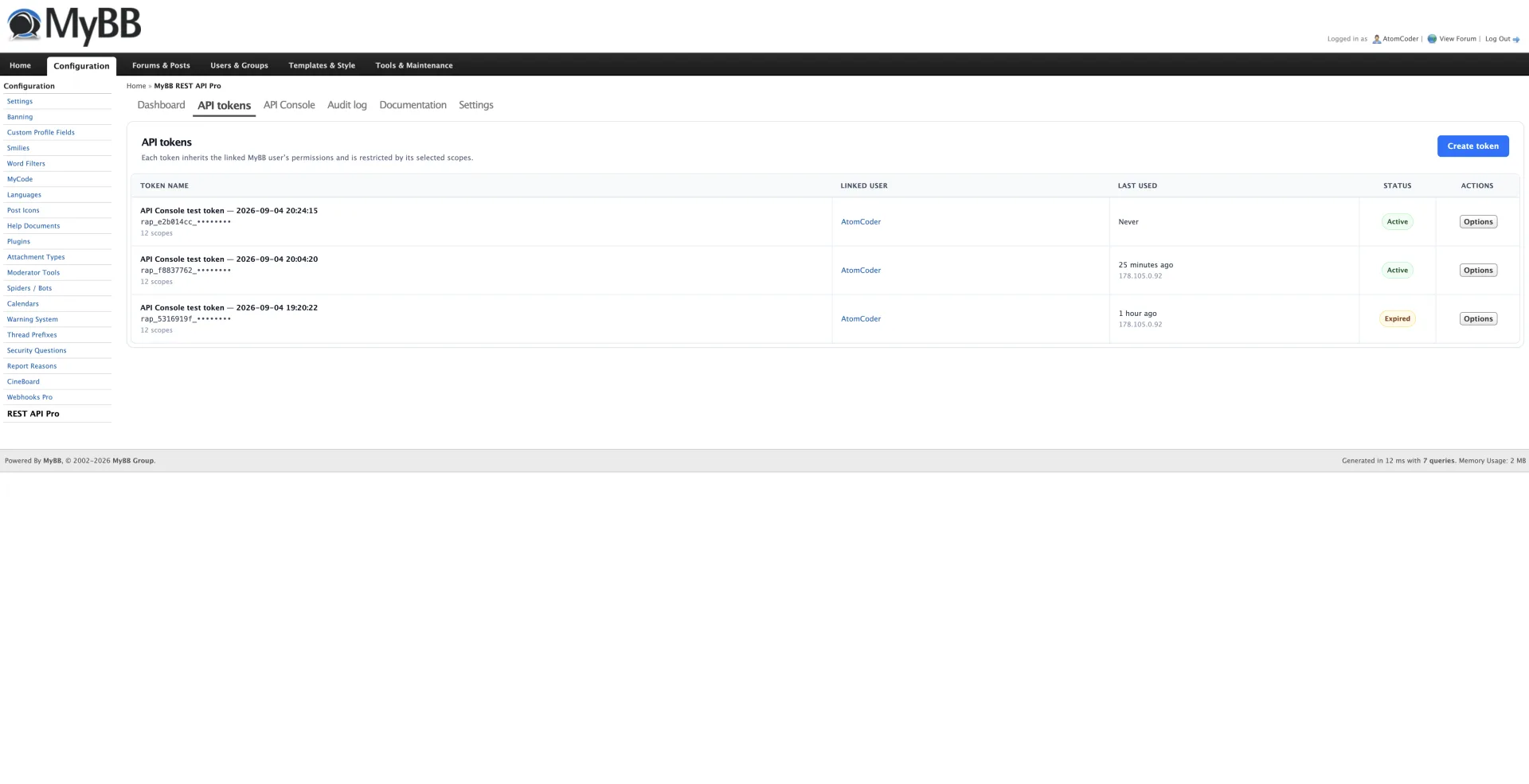
- Scoped bearer tokens stored only as secure SHA-256 hashes
- Tokens inherit the linked MyBB user’s forum and moderator permissions
- Read and manage forums, threads, posts, users, attachments and private messages
- Safe MyBB-native create, update, moderation and soft-delete operations
- Built-in API Console for executing real test requests
- Generated cURL, Laravel HTTP, JavaScript fetch and jQuery AJAX examples
- Detailed OpenAPI 3.0 specification with parameters, schemas and example bodies
- Per-token and per-IP rate limiting
- Exact-origin CORS controls and password-protected forum support
- Privacy-safe audit log with status, duration and request diagnostics
- Non-destructive deactivation and confirmed uninstall workflow
Installation
- Extract the ZIP into your MyBB forum root so the inc and jscripts folders merge with the existing folders
- Open Admin CP → Configuration → Plugins
- Install and activate MyBB REST API Pro
- Open Configuration → REST API Pro → API tokens and create a scoped token
- Copy the full token immediately because only its secure hash is retained
- Open the API Console to test requests or call https://your-forum.example/api.php?route=/v1 from your application
Additional details
Requires MyBB 1.8.20 or newer and PHP 7.2+ with JSON support. The PHP cURL extension is required for the Admin CP API Console. HTTPS is strongly recommended for production API traffic. One-hour console test tokens are visible in the ordinary token list and can be revoked. Deactivation preserves settings, tokens and audit history; confirmed uninstall removes only plugin-owned data.